Photos are not kept
A photo passes through our server to Google’s Gemini API, which recognises the parts. Brickium does not store it.
 Brickium
Your bricks. New models. Step by step.
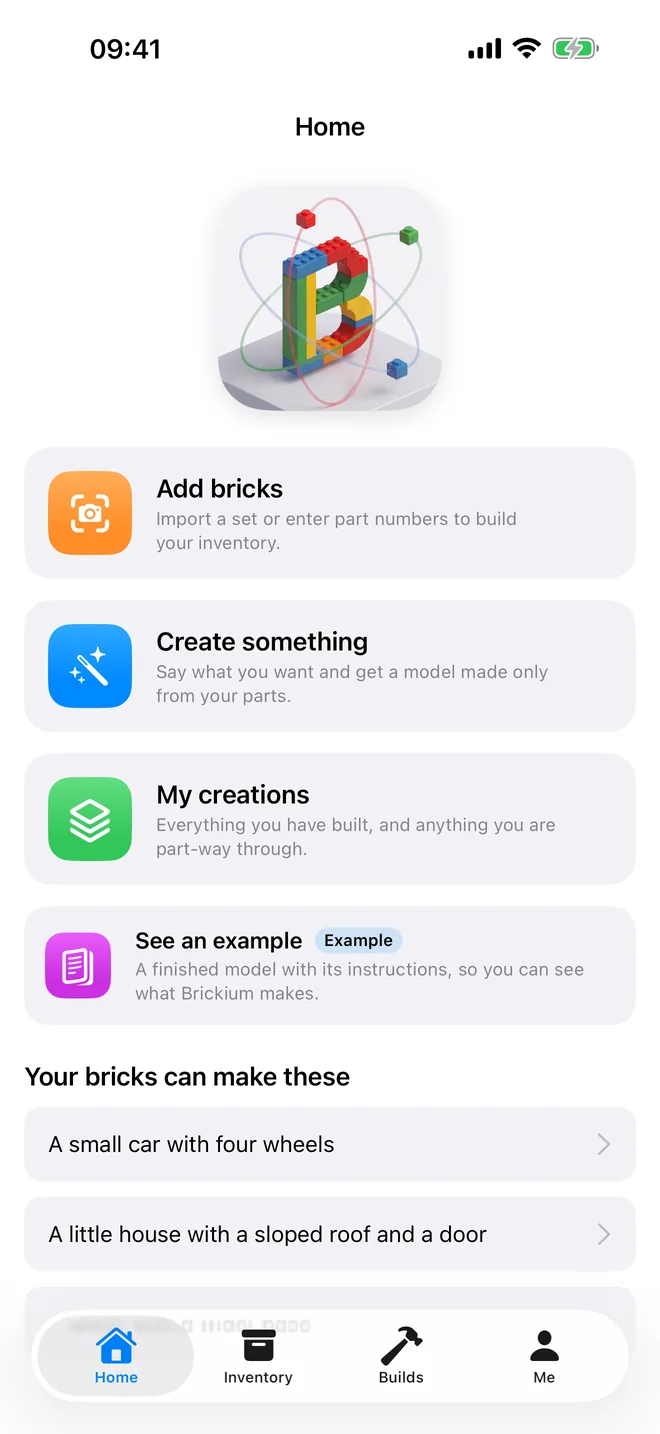
Photograph a handful of bricks or type a set number. Say what you want to make. Brickium designs a model from your parts, checks that it can really be built, and walks you through it one step at a time.
How it works
01 / Your inventory
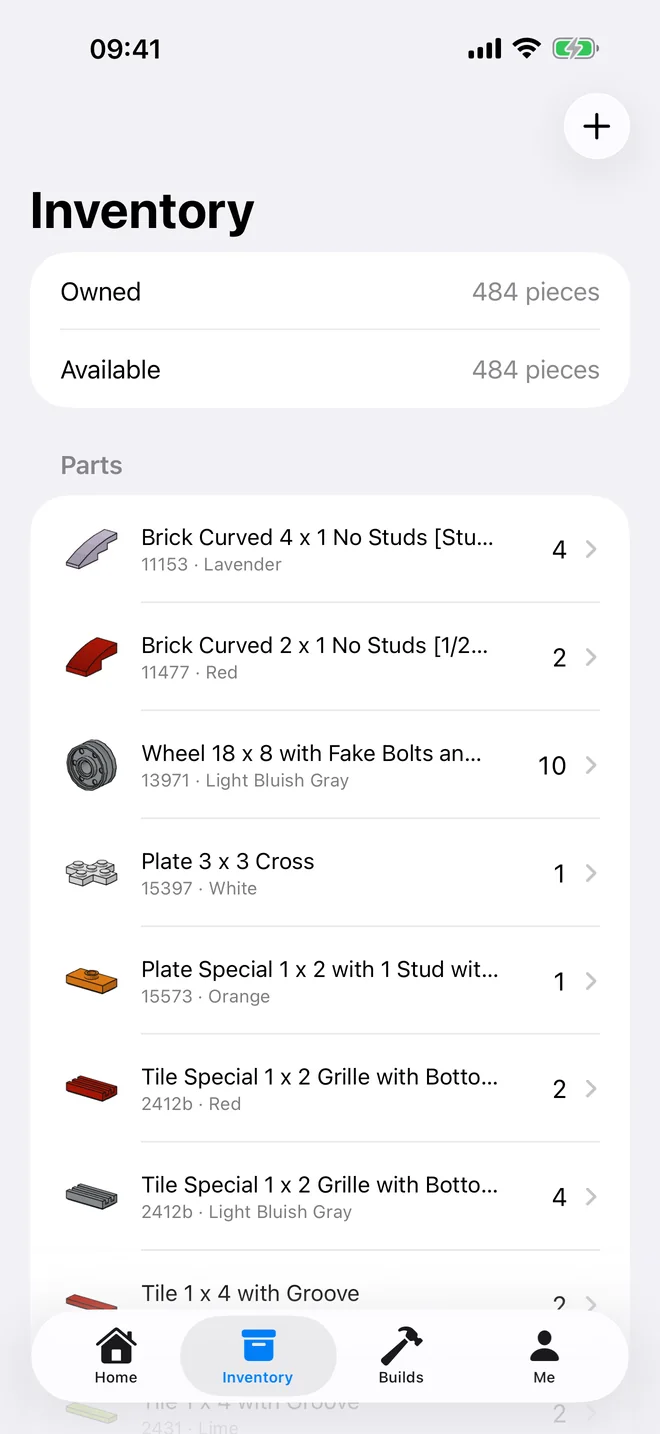
Most of us have a bin of loose bricks and no idea what is in it. Brickium keeps the list, and keeps it honest: what is built into a model is marked as in use.
A handful of loose bricks at a time. Brickium suggests what it sees, you correct the counts, and nothing is saved until you confirm.
Type a set number and its whole parts list is added at once.
Add a single part by its number and colour, and fix any count later.
02 / Your idea
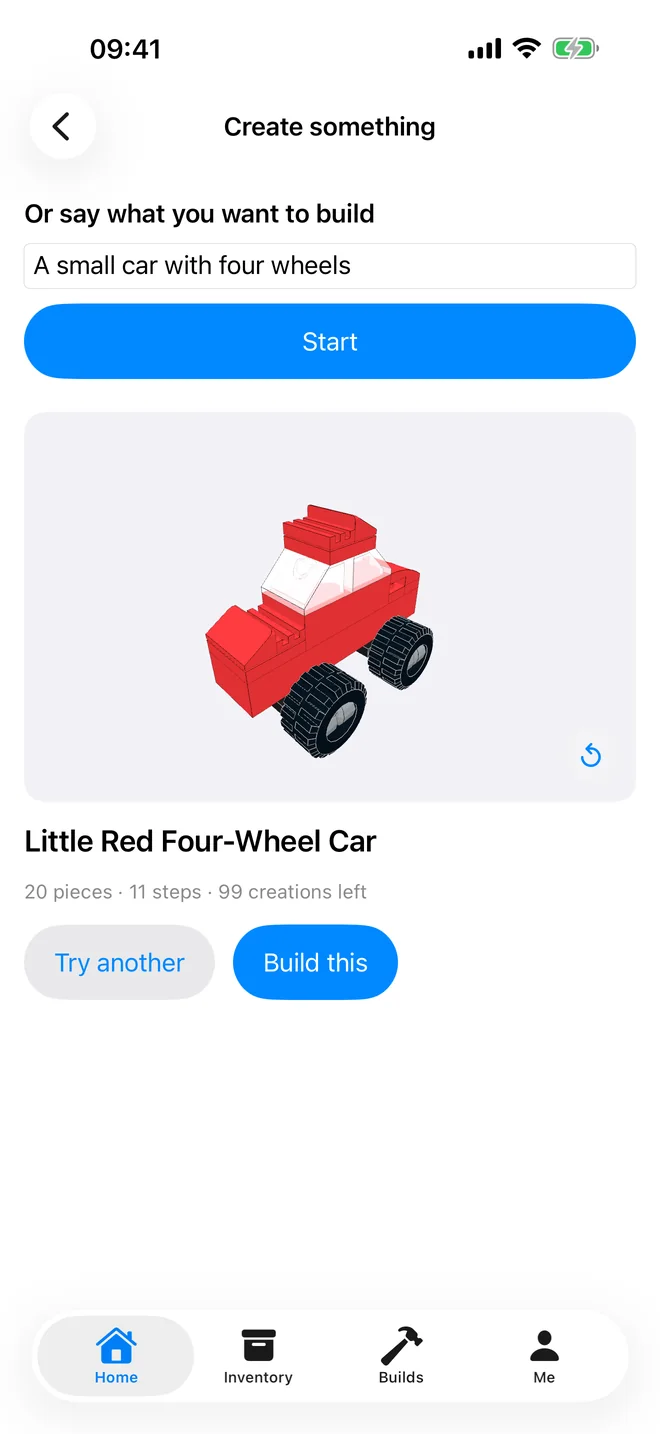
Plain words are enough: “a small red car with four wheels”. Or pick one of the ideas Brickium works out from what your bricks can really make.
Never a piece you do not own, or one already built into another model, unless you switch that off; then the missing pieces show in grey.
No missing part, no pieces that pass through each other, no step that cannot be assembled.
If your bricks cannot make what you asked for, Brickium says so, and it costs you nothing.
03 / Your build
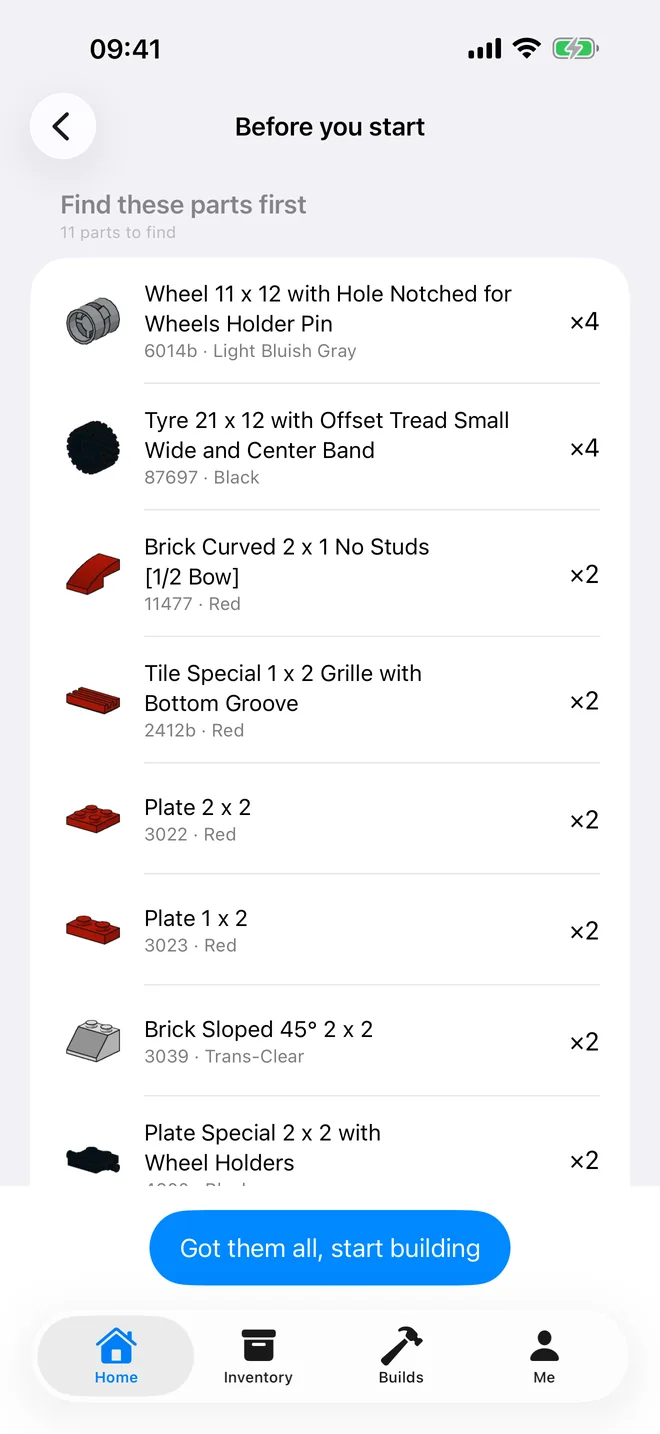
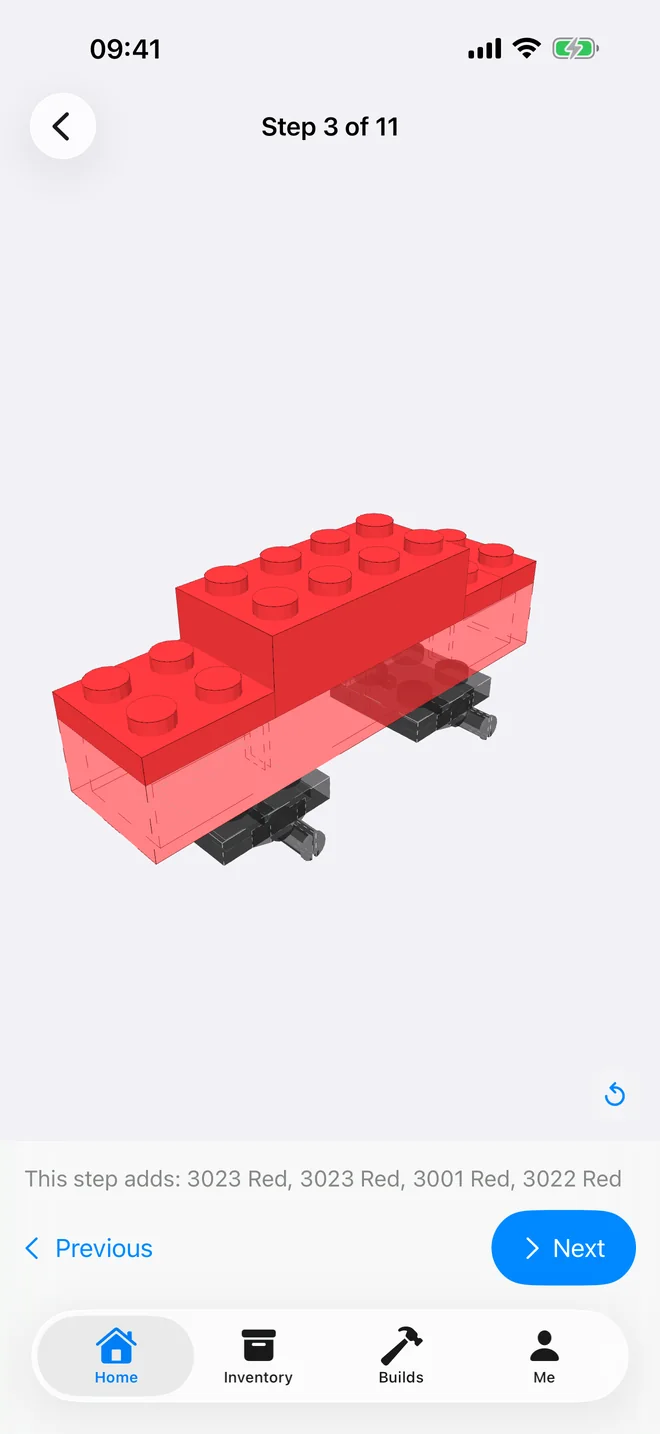
First a checklist with a picture of every piece, so nothing is missing halfway through. Then 3D instructions, one step at a time.
What you have already built is shown faded, the way printed instructions do it.
Rotate and zoom the model at any step, and pick up a build where you left it.
Tell the app, and the parts go back into your available bricks.
Creations and packs
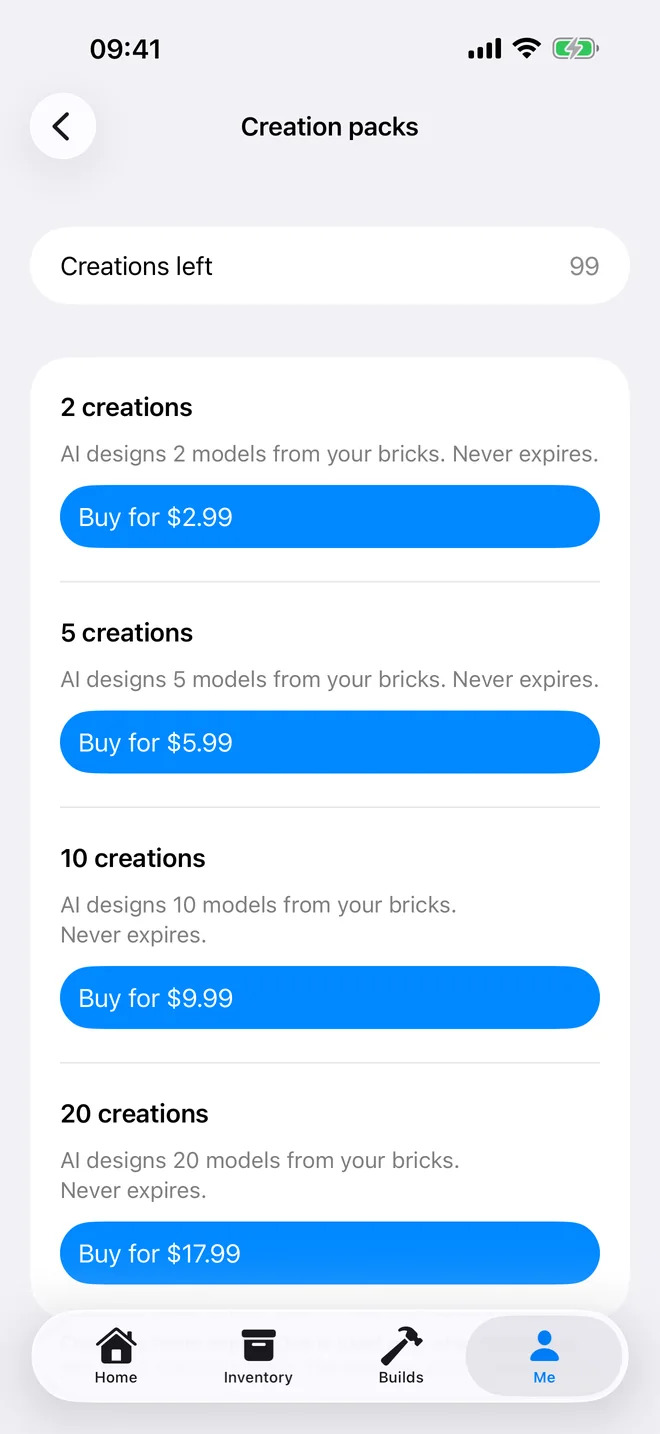
One creation = AI designs one model from your bricks, with building instructions. A new account gets one free, and another after finishing a first build. After that there are creation packs: bought once, no subscription, and they never expire.
| Pack | Price | Each |
|---|---|---|
| 2 creations | $2.99 | $1.50 |
| 5 creations | $5.99 | $1.20 |
| 10 creations | $9.99 | $1.00 |
| 20 creations | $17.99 | $0.90 |
Your bricks are your business
A photo passes through our server to Google’s Gemini API, which recognises the parts. Brickium does not store it.
Before your first photo and before your first design request, Brickium tells you who receives what, and asks.
Delete your account and everything in it from inside the app. Looking around and opening the example need no account at all.
Questions
On the App Store, for iPhone and iPad with iOS 17 or later.
Not to look around: the app opens without one, and the finished example on the home screen works straight away. Keeping an inventory, creating models and buying packs need an account, with Apple or Google sign-in, so that your bricks and your creations stay yours across devices.
Standard building bricks, including LEGO® bricks and bricks compatible with them. From a photo, Brickium currently recognises about thirty of the most common parts; anything in its catalogue can be added by set number or part number.
The app is free, and so is adding bricks. A new account gets one free creation and a second after finishing a first build. More come in packs from $2.99. There is no subscription.
Because your bricks cannot make it: the wrong shapes, too few of a colour, no wheels for a car. Brickium tells you why instead of quietly changing what you asked for, and a failed attempt does not use a creation.
English, Simplified Chinese and Traditional Chinese. It follows the language you choose for it in iOS Settings.
Write to zhang3917@gmail.com. For a purchase, tell us how you sign in (Apple or Google), the name shown in the app at Me, and the date you bought it.
See what it can become.
Download on the App StoreLEGO® is a trademark of the LEGO Group of companies which does not sponsor, authorize or endorse this application. Brickium is an independent app and is not affiliated with the LEGO Group. Parts catalogue data is sourced from Rebrickable. Part geometry is derived from the LDraw Parts Library, licensed under Creative Commons Attribution.